Guide · Aug 20, 2026
What Is the Difference Between USB-C and Lightning?
Discover the physical, technical, and practical differences between USB-C and Apple's Lightning connector in this comprehensive comparison guide.
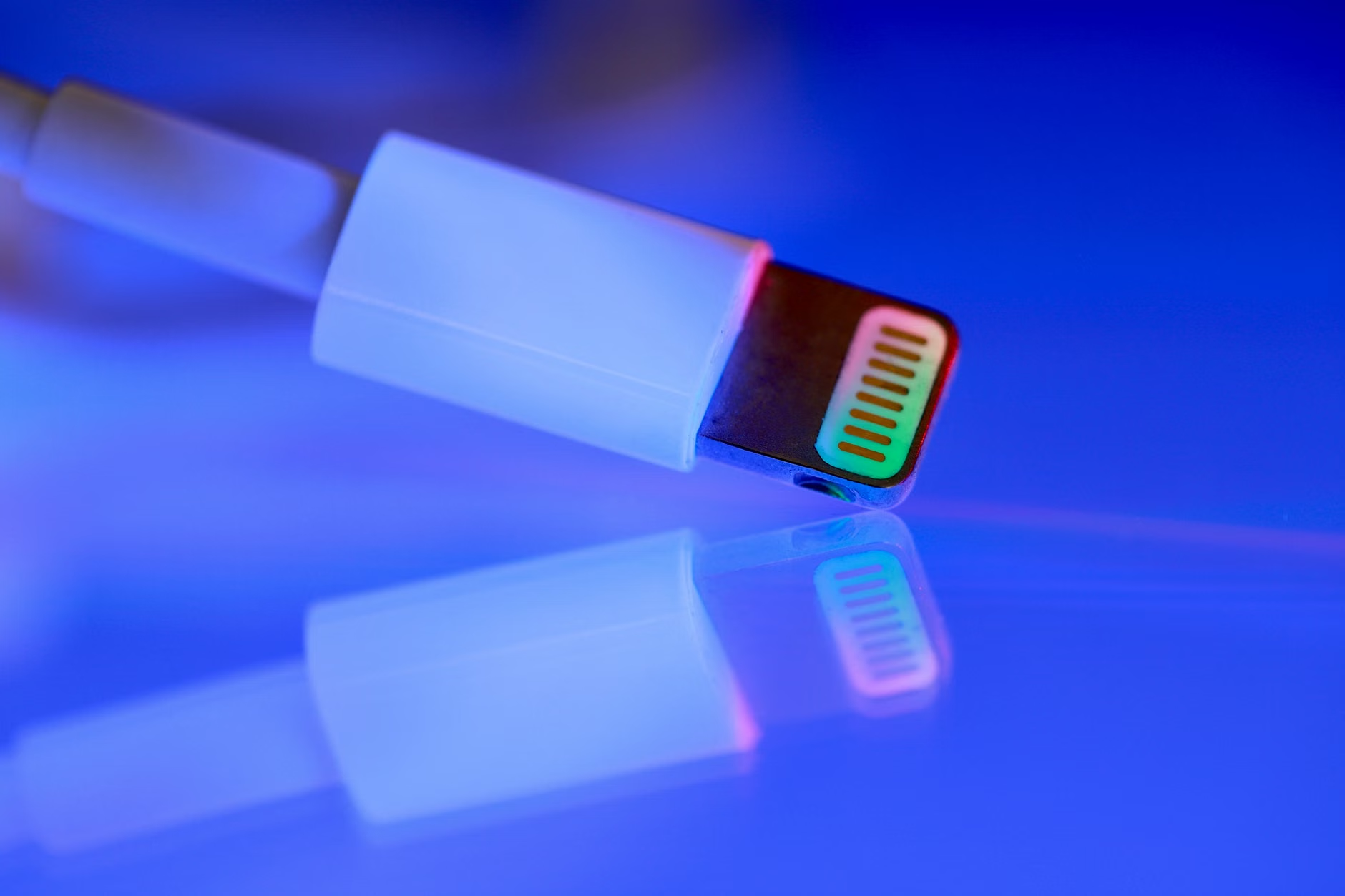
For over a decade, the battle of the charging cables has divided the tech world. On one side stood Apple’s proprietary Lightning connector, found on millions of iPhones and iPads. On the other stood USB-C, the open-standard powerhouse powering almost every other modern gadget. With recent technological shifts and regulatory mandates, understanding the difference between USB-C and Lightning has never been more important for consumers looking to purchase new devices or optimize their current tech setups.
While both cables serve the primary purpose of charging your devices and transferring data, they differ significantly in design, speed, power capacity, and ecosystem compatibility. In this comprehensive guide, we will break down these differences to help you understand how these two connectors compare and why the industry is rapidly consolidating around a single standard.
Physical Design: A Key Difference Between USB-C and Lightning
At first glance, both connectors look somewhat similar because they are both reversible—meaning you can plug them in regardless of which side is facing up. However, their structural designs are fundamentally different, which impacts their durability and user experience.
Reversibility and Pin Configuration
The Apple Lightning connector features a solid, flat tab with eight exposed gold pins on both sides. Because the pins are on the outside of the plug, it is incredibly easy to clean and insert. In contrast, USB-C (Universal Serial Bus Type-C) uses a hollow, oval-shaped connector. The 24 pins of a USB-C connection are housed inside the plug, which inserts around a small tongue inside the device's port. This design allows USB-C to support more complex data pathways and higher electrical currents.
Structural Integrity and Wear over Time
Because the Lightning cable has its pins on the exterior, they are exposed to the elements, skin oils, and potential scratching. However, the port on a Lightning-compatible device is a simple, durable cavity that is easy to clean. USB-C ports, with their delicate internal center tab, can theoretically be damaged if a cable is forced in at an awkward angle, although modern manufacturing has made this occurrence extremely rare.
Data Transfer Speeds: The Functional Difference Between USB-C and Lightning
When it comes to moving files between devices, the difference between USB-C and Lightning is night and day. This performance gap is one of the primary reasons creative professionals have long advocated for a transition away from the older Apple standard.
Lightning's Legacy USB 2.0 Speeds
Despite being a revolutionary port when it debuted in 2012, the Lightning connector is fundamentally limited by its underlying architecture. Most Lightning cables and devices transfer data at USB 2.0 speeds, which max out at 480 Mbps. While sufficient for syncing small files or audio, transferring large 4K video files over a Lightning connection can take an agonizingly long time.
USB-C's High-Speed Protocols
USB-C is not bound to a single data protocol. It is a physical connector shape that can support various standards, including USB 3.0, USB 3.2, USB4, and even Thunderbolt 3 and 4. A standard USB-C port can easily achieve transfer speeds of 10 Gbps to 40 Gbps, and even up to 80 Gbps with the latest USB4 2.0 specifications. This makes USB-C up to 80 times faster than a standard Lightning connection for data transfers.
Charging Speed and Power Delivery (PD)
As our devices demand faster top-ups to keep up with heavy daily use, charging capacity has become a critical performance metric. USB-C holds a distinct advantage in how much power it can safely transmit.
Maximum Wattage Output
Lightning cables generally top out at around 12W to 15W of power for standard charging, though they can reach up to 27W when paired with a USB-PD fast-charging block using a USB-C to Lightning cable. USB-C, on the other hand, natively supports the USB Power Delivery (USB-PD) standard. Standard USB-C cables can deliver up to 100W of power, while advanced cables utilizing Extended Power Range (EPR) can deliver up to 240W. This massive capacity allows USB-C to power everything from wireless earbuds to high-performance gaming laptops.
Fast Charging Capabilities
Because of USB-C's superior power handling, devices utilizing this standard can charge much faster. While Apple optimized fast charging on Lightning devices to reach 50% battery in about 30 minutes, USB-C devices can often match or exceed this speed while powering much larger batteries, such as those found in tablets and laptops.
Ecosystem Impact: The Practical Difference Between USB-C and Lightning
The everyday usability of these cables depends heavily on the ecosystem of devices you own. The industry-wide transition to a single, universal standard has highlighted the practical difference between USB-C and Lightning for consumers.
Apple's Transition to USB-C
For years, Apple maintained a split ecosystem: MacBooks and iPads transitioned to USB-C, while iPhones remained on Lightning. However, driven largely by European Union common charger mandates, Apple officially transitioned the iPhone 15 series and subsequent models to USB-C. This shift effectively marks the beginning of the end for the Lightning connector in Apple's flagship lineup.
The Cross-Platform Advantage of USB-C
The ultimate goal of USB-C is universality. With a single USB-C cable, you can charge an Android smartphone, a Nintendo Switch, a modern iPhone, a Windows laptop, and a pair of wireless headphones. This cross-compatibility reduces electronic waste and simplifies travel, as you no longer need to carry separate, proprietary cables for different devices.
Licensing, MFi Certification, and Costs
The business model behind these two cables is another major point of divergence. Who controls the technology determines how much you pay for accessories and how those accessories perform.
Apple's MFi Program Explained
Lightning is a proprietary technology owned by Apple. Third-party manufacturers who want to build Lightning accessories must participate in the MFi (Made for iPhone/iPad) licensing program. This involves paying royalties to Apple and passing strict quality controls. While this ensures accessory safety, it also drives up the retail price of Lightning cables.
Open-Standard Licensing of USB-C
USB-C is an open standard developed by the USB Implementers Forum (USB-IF), a non-profit consortium of tech companies (including Apple, Microsoft, Intel, and Samsung). Because it is an open standard, any manufacturer can produce USB-C cables without paying licensing fees to a single gatekeeper. This open nature makes high-quality USB-C cables highly accessible and cost-effective for consumers.
Summary Comparison: USB-C vs. Lightning
To help you visualize the core differences, here is a direct comparison of the technical specifications and capabilities of both connector types:
- Physical Design: Lightning uses a solid tab with external pins; USB-C uses a hollow connector with internal pins.
- Maximum Data Transfer Speed: Lightning is capped at 480 Mbps (USB 2.0); USB-C supports up to 40 Gbps and higher (USB4/Thunderbolt).
- Maximum Power Delivery: Lightning supports up to 27W; USB-C supports up to 240W.
- Ecosystem: Lightning is exclusive to legacy Apple devices; USB-C is a universal standard across Android, Apple, Windows, and smart home tech.
- Licensing: Lightning requires proprietary Apple MFi licensing; USB-C is an open standard managed by the USB-IF.
Frequently Asked Questions
Is USB-C faster than Lightning?
Yes, USB-C is significantly faster than Lightning in both data transfer and power delivery. USB-C can support transfer speeds up to 40 Gbps and power delivery up to 240W, whereas Lightning is generally limited to 480 Mbps data speeds and 27W of power delivery.
Why did Apple switch from Lightning to USB-C?
Apple transitioned to USB-C primarily due to a European Union regulation mandating a common charging standard for electronic devices to reduce e-waste. Additionally, USB-C offers superior performance capabilities that align with modern hardware requirements.
Can I use an adapter to convert my Lightning accessories to USB-C?
Yes, there are many adapters available that allow you to connect older Lightning accessories to USB-C ports on newer iPhones, iPads, and computers. However, check compatibility for data transfer and audio output, as some cheap adapters only support charging.
Which connector is more durable, USB-C or Lightning?
Both have different structural advantages. Lightning cables are highly durable because they consist of a solid piece of metal with no hollow parts to bend. However, USB-C ports are generally considered highly robust, and the cables themselves are designed to wear out before the device's internal port does.
Does the iPhone 15 use USB-C or Lightning?
The iPhone 15 series (including the standard, Plus, Pro, and Pro Max models) uses USB-C. This marked the official departure from the Lightning connector for Apple's flagship smartphone lineup.
Are all USB-C cables the same?
No. While they share the same physical shape, USB-C cables vary greatly in their capabilities. Some are designed only for slow charging and USB 2.0 data speeds, while others are rated for 240W power delivery and high-speed Thunderbolt 4 data transmission.
Conclusion
The clear winner in the matchup between these two technologies is USB-C. While the Apple Lightning connector served as a reliable, user-friendly, and forward-thinking port when it debuted in 2012, it has simply been outpaced by the open-standard evolution of USB-C. From lightning-fast data transfer speeds to the ability to power laptops, USB-C has earned its place as the truly universal connector of the modern era.
As we move forward, the difference between USB-C and Lightning will become a legacy topic, with USB-C streamlining our tech drawers and making cross-device compatibility easier than ever before.
Related Reading
- fast charging adapters — The best high-wattage charging plugs and adapters for modern devices
- Thunderbolt 4 cables — A complete guide to high-speed data transfer cables and standards
- iPhone 15 specs — A detailed look at the physical changes and hardware of the iPhone 15 series
- e-waste reduction — How universal charging standards impact global electronic waste